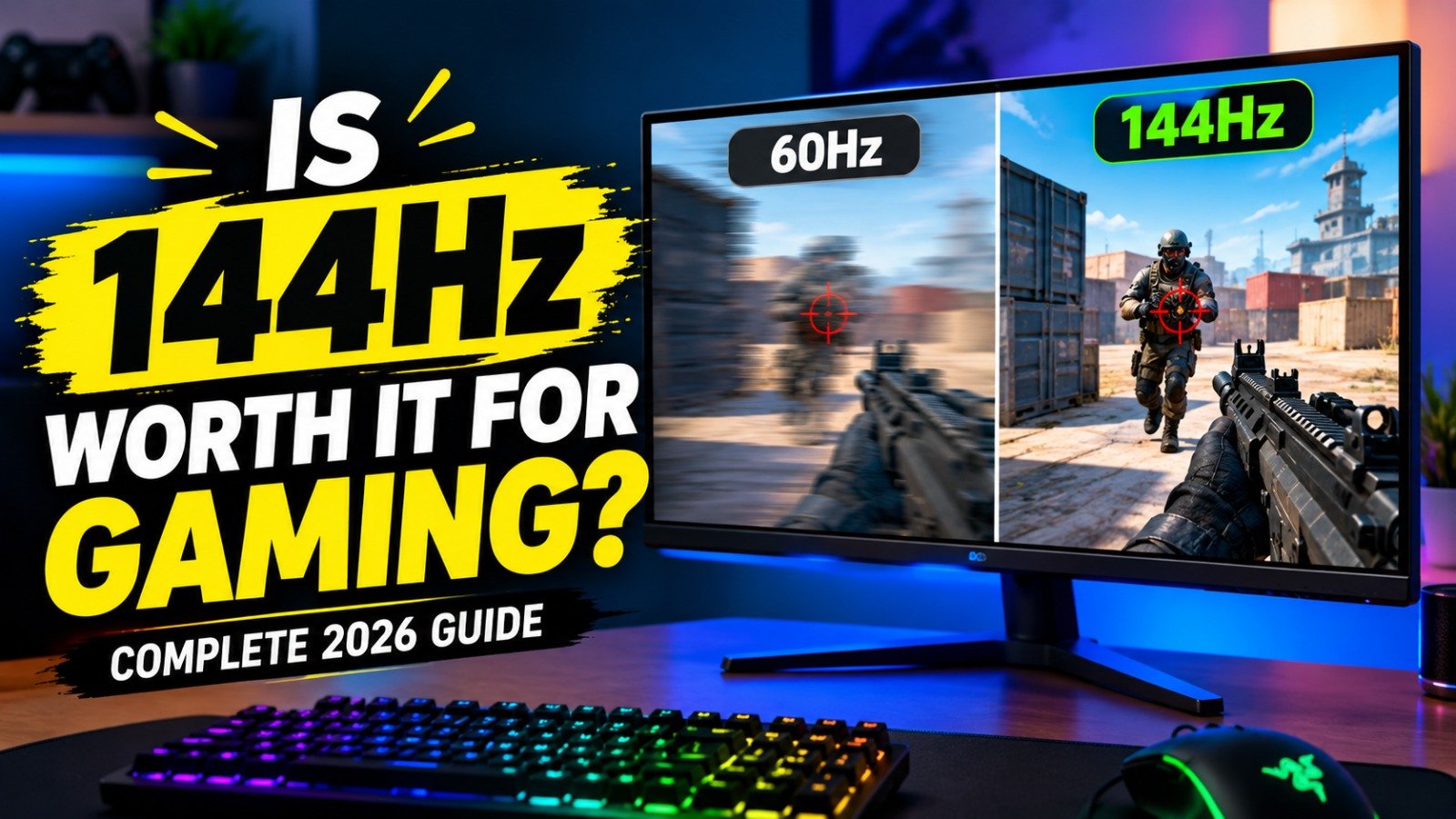
If you are planning to buy a new gaming monitor, you have probably come across refresh rates such as 60Hz, 75Hz, 120Hz, 144Hz, 165Hz, 240Hz and even 360Hz. With so many options available, one question comes up often: Is 144Hz worth it for gaming?
For most gamers, the answer is yes. A 144Hz monitor can make games feel noticeably smoother and more responsive than a traditional 60Hz display. The difference is especially easy to notice in fast paced games such as first person shooters, racing games and competitive multiplayer titles.
However, buying a 144Hz monitor does not automatically make every game run at 144 frames per second. Your PC hardware, game settings, resolution and the monitor itself all play a role.
Here is everything you need to know before upgrading to 144Hz.
What Does 144Hz Actually Mean?
The refresh rate tells you how many times your monitor can update the image on the screen every second.
A 60Hz monitor refreshes the screen 60 times per second, while a 144Hz monitor can refresh it up to 144 times per second. This means a 144Hz display has a much shorter refresh interval than a 60Hz display.
At 60Hz, each refresh takes around 16.67 milliseconds. At 144Hz, that drops to around 6.94 milliseconds.
The result is smoother motion and a more responsive feeling when moving your mouse, turning your character or tracking objects on screen. Higher refresh rates can also reduce display latency because the screen can update more frequently.
144Hz vs 60Hz: Can You Actually See the Difference?
Yes, and for many gamers it is one of the easiest monitor upgrades to notice.
Moving from 60Hz to 144Hz makes camera movement and fast objects look significantly smoother. In an FPS game, for example, quickly turning around or tracking an opponent can feel more natural on a 144Hz display.
The difference is not limited to gaming either. Scrolling through websites, moving windows and even moving your mouse around the desktop can feel smoother.
Research published in 2026 found that FPS players could distinguish large differences in refresh rate and that moving from 60Hz to higher refresh rates improved target acquisition performance. The same research found that the performance difference between 144Hz and 360Hz was not statistically significant in its testing, suggesting that the jump from 60Hz to 144Hz can be more meaningful than simply chasing an extremely high refresh rate.
Does 144Hz Make FPS Games Better?
For competitive FPS games, 144Hz can be a major improvement.
Games such as Counter Strike 2, VALORANT, Overwatch, Fortnite and Rainbow Six Siege can benefit from higher frame rates and refresh rates because they involve fast movement, quick reactions and precise aiming.

When your display updates more frequently, moving targets can appear smoother. This can make tracking enemies easier and can give you a clearer view of fast movements.
It is important to understand that a 144Hz monitor will not automatically improve your aim. Your skills, reaction time, positioning and game knowledge still matter. The monitor simply gives you a more responsive display that can make those skills easier to use.
For competitive players who can consistently produce high frame rates, 144Hz is one of the most sensible upgrades from 60Hz. NVIDIA also recommends matching approximately 144 FPS with a 144Hz monitor when targeting that refresh rate for competitive gaming.
Your FPS Matters
Buying a 144Hz monitor is only part of the equation.
Your computer needs to produce enough frames to take advantage of the higher refresh rate. If your game is running at only 50 or 60 FPS, you will not get the full benefit of a 144Hz display.
For example, if your PC produces around 140 to 144 FPS in a competitive game, a 144Hz monitor can display those frames much more effectively than a 60Hz monitor.
You do not necessarily need exactly 144 FPS in every game. Even when your frame rate is below 144 FPS, a high refresh rate monitor can still provide a smoother experience than 60Hz when the game is running above 60 FPS.
This is why you should check your CPU and GPU performance before buying a monitor. If your hardware struggles to reach higher frame rates, upgrading the monitor alone may not deliver the experience you expect.
What About AAA Games?
This is where the decision becomes more complicated.
Modern AAA games can be extremely demanding, especially when using high resolutions and advanced graphics settings. You might have a powerful gaming PC but still struggle to maintain 144 FPS in the latest games.
If you mainly play visually demanding single player games, a 144Hz monitor is still useful, but you may not be able to use all 144Hz all the time.
For example, a game running at 70 to 90 FPS can still feel smoother on a 144Hz monitor than on a 60Hz display. However, if your priority is maximum visual quality rather than competitive responsiveness, you might prefer investing in a higher resolution or better quality panel.
A 144Hz 1440p monitor can be an excellent middle ground for gamers who want both smooth gameplay and sharper visuals.
Is 144Hz Better Than 120Hz?
Both are excellent refresh rates, and the difference between 120Hz and 144Hz is relatively small.
The major upgrade is moving from traditional 60Hz to a high refresh rate display.
A 120Hz monitor refreshes the screen every 8.33 milliseconds, while 144Hz refreshes it every 6.94 milliseconds. That difference exists, but it is much less dramatic than the jump from 60Hz to 120Hz or 144Hz.
If you already own a good 120Hz monitor, there may not be much reason to replace it just to get 144Hz.
However, if you are buying a new monitor and the price difference between 120Hz and 144Hz is small, choosing 144Hz can make sense.
Is 144Hz Better Than 165Hz?
This is another situation where the difference is relatively small.
A 165Hz monitor is technically faster than a 144Hz monitor, but most gamers are unlikely to experience a dramatic difference between the two.
The more important factors are often resolution, panel quality, response time, color accuracy, adaptive sync support and overall monitor quality.
If a 144Hz monitor has a better panel and lower price than a 165Hz model, the 144Hz monitor may actually be the better purchase.
Do not choose a monitor based on refresh rate alone.
Should You Buy 144Hz or 240Hz?
If you are choosing between 144Hz and 240Hz, think about the games you play and the performance your PC can produce.
A 240Hz monitor provides even more frequent screen updates and can be useful for serious competitive gamers who consistently achieve very high frame rates.
However, the difference between 144Hz and 240Hz is generally less noticeable than the difference between 60Hz and 144Hz.
For most casual gamers, competitive players and people building a balanced gaming setup, 144Hz remains a very strong choice.
A 240Hz monitor becomes more attractive if you primarily play competitive games, have powerful hardware and care about extracting every possible advantage from your setup.
Do Response Time and VRR Matter?
Refresh rate is important, but it should not be the only specification you look at.
Response time determines how quickly the monitor’s pixels can change from one color to another. A slow response time can cause ghosting or trailing behind moving objects, which can reduce the benefits of a high refresh rate.
You should also consider adaptive sync technologies such as AMD FreeSync or NVIDIA G-SYNC. These technologies can help synchronize the monitor’s refresh rate with the game’s frame rate and can reduce screen tearing.
For a gaming monitor, a combination of high refresh rate, low input lag, good response time and VRR support can provide a much better experience than simply buying the monitor with the highest Hz number.
Is 144Hz Worth It for Console Gaming?
It depends on the console and the games you play.
Modern consoles such as the PlayStation 5 and Xbox Series X can support gaming at up to 120Hz in supported games and display modes. They do not generally need a 144Hz monitor to operate at their maximum supported refresh rate.
However, a 144Hz gaming monitor can still be useful because it can support 120Hz console gameplay while also giving you room for higher refresh rates if you later connect a gaming PC.
If you are buying a monitor specifically for console gaming, make sure it supports the resolution and refresh rate modes your console uses. Not every high refresh rate monitor supports every console resolution and 120Hz combination.
Who Should Buy a 144Hz Monitor?
A 144Hz monitor is a great choice for several types of gamers.
If you play competitive FPS games, a high refresh rate can make fast movement and aiming feel smoother. If you play racing games, the smoother motion can make high speed turns and camera movement more enjoyable.
It is also a good option for gamers who play a mixture of competitive and single player games. You can enjoy high frame rates in lighter games while still using the same monitor for demanding AAA titles.
A 144Hz monitor is also worth considering if you are upgrading from 60Hz and your gaming PC can regularly produce more than 60 FPS.
Who Does Not Need 144Hz?
Not every gamer needs a 144Hz display.
If you mainly play slow paced games, turn based games or older titles that do not benefit much from high frame rates, 60Hz or 75Hz may be enough.
Similarly, if your computer consistently produces around 40 to 60 FPS in the games you play, spending significantly more on a high refresh rate monitor may not be the best upgrade.
You may get more value from upgrading your graphics card, increasing your storage or buying a monitor with a better resolution and panel.
What Should You Look for in a 144Hz Gaming Monitor?
If you decide that 144Hz is right for you, do not stop at the refresh rate.
Look for a monitor with a good response time, low input lag and adaptive sync support. Resolution is also important. A 1080p 144Hz monitor can be an excellent budget option, while a 1440p 144Hz or 165Hz monitor can provide a stronger balance between image quality and smoothness.
You should also consider screen size and panel type. A good IPS panel can provide strong colors and viewing angles, while OLED displays offer extremely fast pixel response times but usually cost more.
Most importantly, check independent reviews before buying. A monitor advertised as having a 1ms response time does not necessarily perform at 1ms in every situation. Real world response time performance can vary depending on the panel and monitor settings.
Where to Buy a 144Hz Gaming Monitor in the USA
If you are looking for a 144Hz gaming monitor in the USA, you have several major retailers to choose from. Best Buy has a large selection of 144Hz gaming monitors, including affordable models from MSI, Acer, ASUS and Dell. Current listings include 1080p 144Hz monitors for around $90 to $130, while higher resolution 1440p and 4K options are also available.
Walmart is another option for budget-conscious gamers. Its current 144Hz selection includes models such as the LG UltraGear 27-inch Full HD 144Hz monitor and MSI 23.8-inch Full HD 144Hz monitor.
You can also check Amazon, Dell and B&H Photo for 144Hz gaming monitors. Current monitor testing and recommendations show that many newer displays now offer 165Hz, 180Hz or higher refresh rates, but these monitors can still be used at 144Hz, giving buyers more options.
Prices and availability change frequently, so it is worth comparing the same monitor across multiple retailers before buying. For a budget gaming setup, look for a combination of 144Hz or higher refresh rate, low response time, adaptive sync and the right resolution for your PC rather than choosing a monitor based only on its refresh rate.
So, Is 144Hz Worth It for Gaming?
For most gamers, yes, 144Hz is worth it.
The upgrade from 60Hz to 144Hz can make gaming feel noticeably smoother, especially in competitive FPS games and other titles with fast movement. Current research also suggests that higher refresh rates can improve target acquisition compared with 60Hz, while the performance gains become smaller at much higher refresh rates.
However, your PC needs to produce enough FPS to take advantage of the monitor. If your system regularly reaches 100 to 144 FPS or more, 144Hz can be an excellent choice.
If you are choosing between a 144Hz monitor and a more expensive 240Hz model, 144Hz is usually the better value for the average gamer. If you are upgrading from 60Hz, however, the difference can be much easier to appreciate.
Final Verdict
A 144Hz monitor is one of the best upgrades you can make if you want smoother and more responsive PC gaming without spending money on an extreme high refresh rate display.
For competitive gamers, 144Hz provides a strong balance between performance and price. For casual gamers, it can make everyday gaming feel smoother. And for people who play both competitive and AAA games, a 144Hz 1080p or 1440p monitor can be a versatile long term choice.
You do not need 240Hz or 360Hz to enjoy a great gaming experience. For many players, 144Hz is the sweet spot between smooth gameplay, responsiveness and affordability.
Table of Contents

Leave a Reply